
Ad-free · Private · Works offline · Now on Apple Watch
Wake up for Fajr.
Every day.
PrayerWake is a Fajr alarm and Muslim prayer times app with an alarm that keeps ringing until you are truly awake. Then you pray, mark it, and continue with your adhkar.
الصَّلَاةُ خَيْرٌ مِنَ النَّوْمِ
“Prayer is better than sleep”, from the Fajr adhan
One simple loop
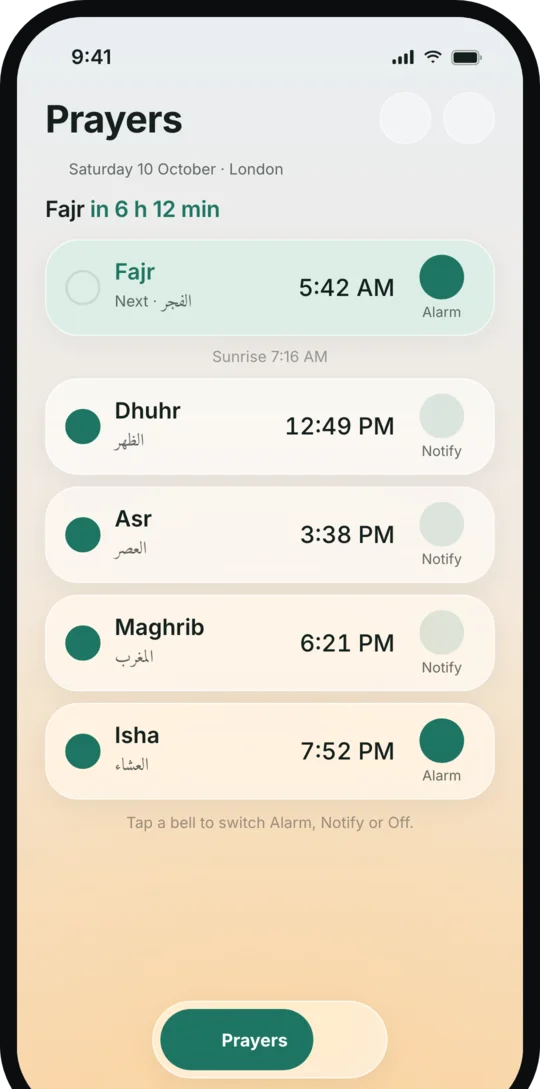
- 1Prayer time arrivesCalculated on your phone for where you are.
- 2The alarm ringsA real wake alarm, with the athan if you like. On your Apple Watch too.
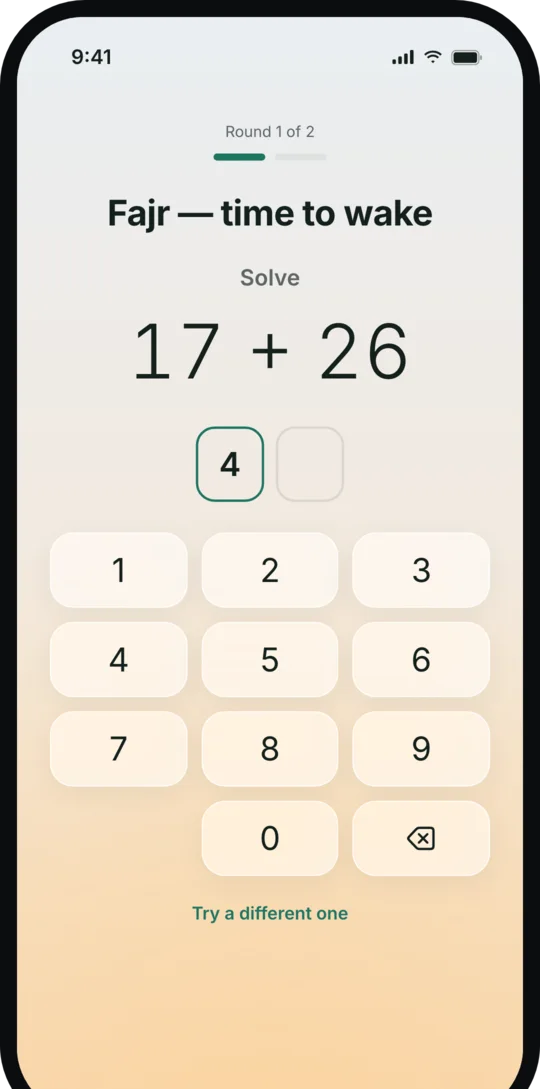
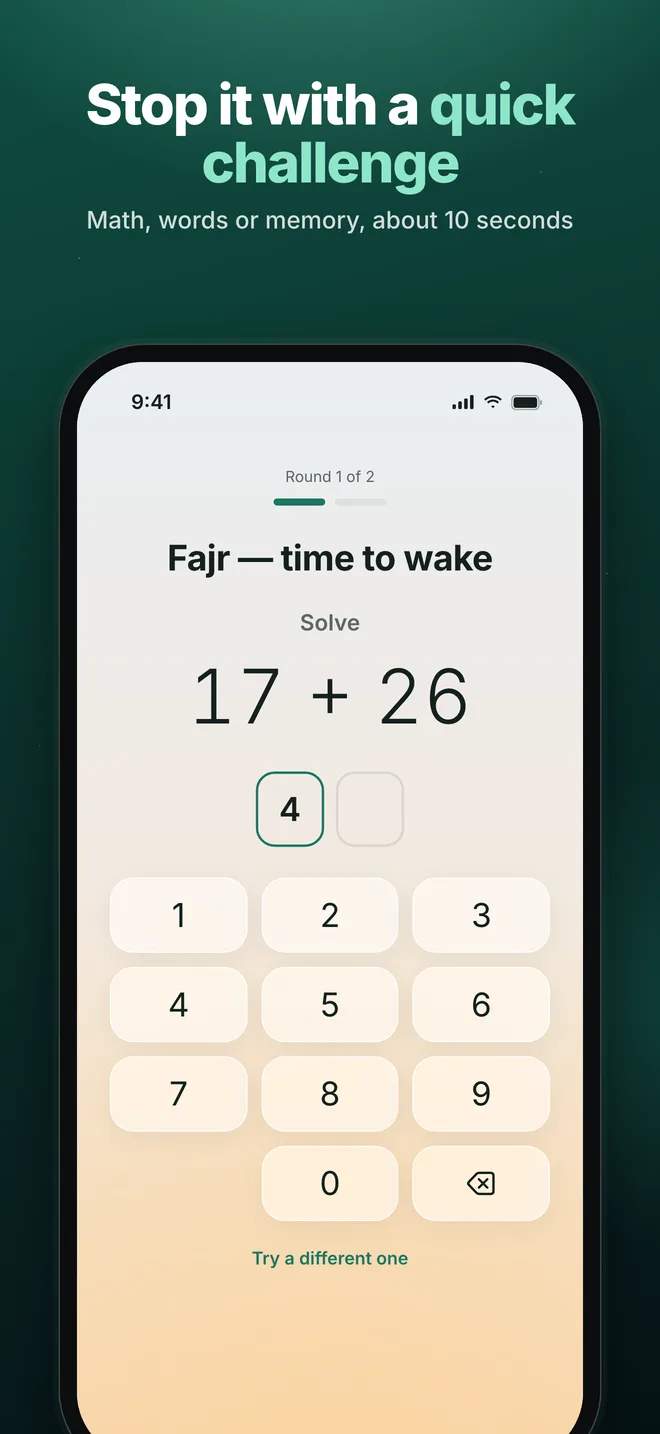
- 3A short challengeAbout 10 seconds of math, words or memory.
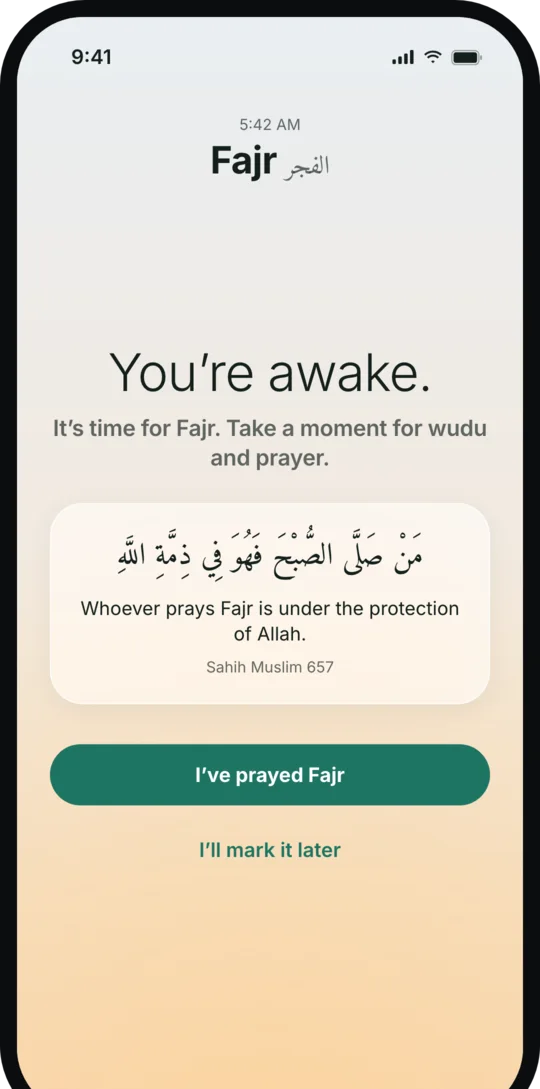
- 4You prayWide awake, with time for wudu.
- 5Mark it, then adhkarContinue straight into your remembrance.
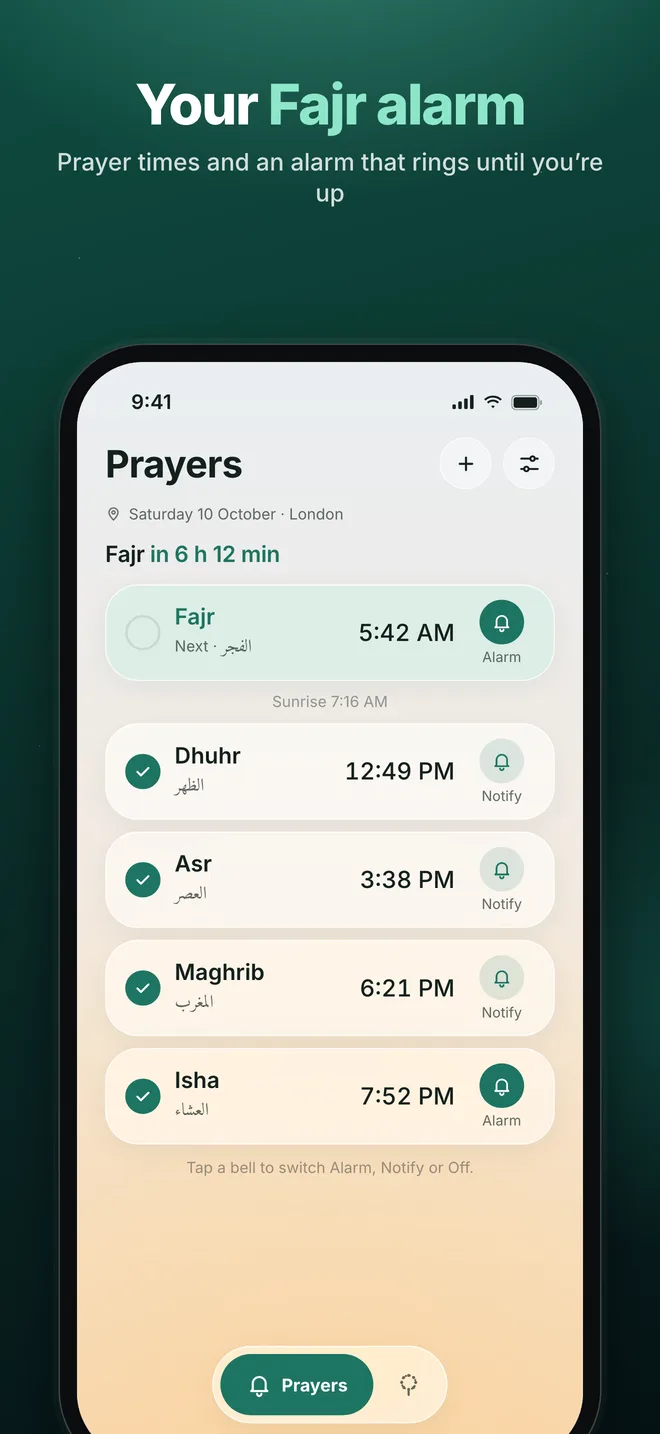
An alarm that waits for you to be awake
Snoozing through Fajr is easy. PrayerWake keeps ringing until you complete a short wake challenge, and checks on you again if you drift back to sleep.
- Math, word scramble, character match, memory or pattern
- Gentle, Standard or Strong Wake difficulty
- Real system alarms on iOS 26 that ring in Silent mode and Focus
- Full-screen alarm on Android, re-scheduled after a restart
The athan, and a verse for every prayer
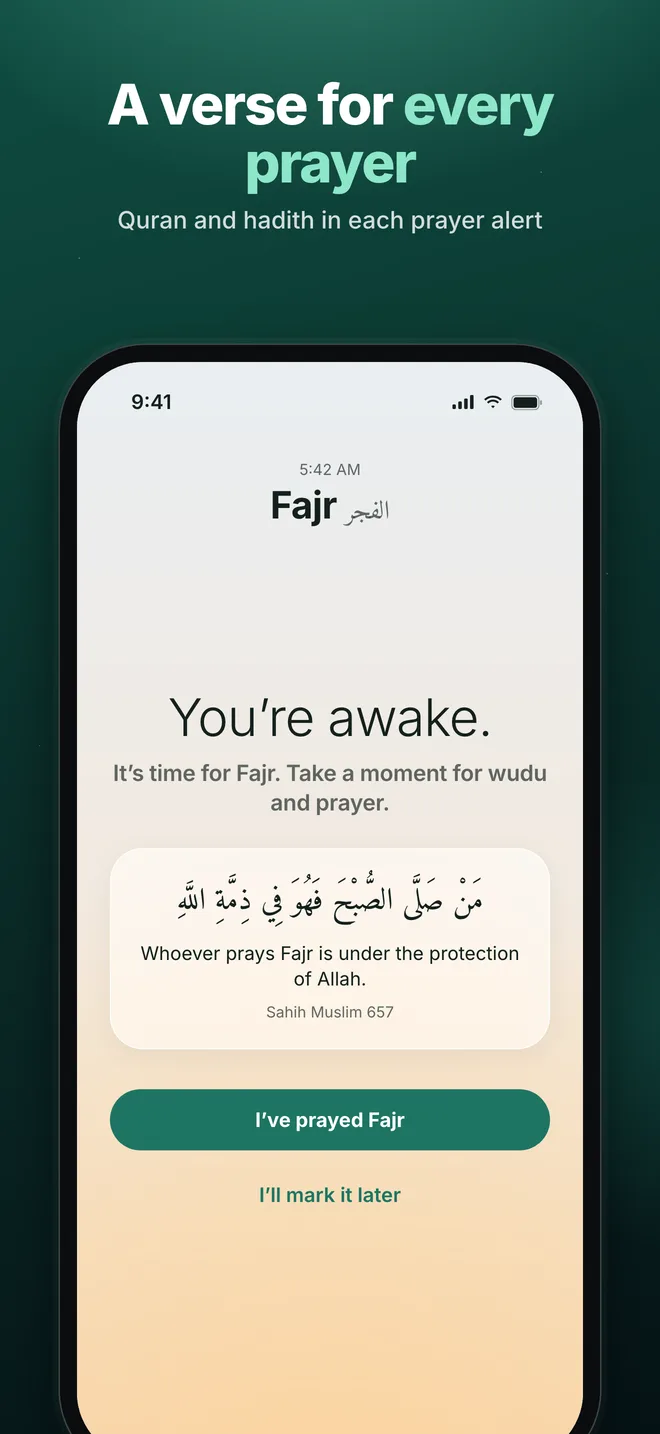
Wake to the athan, to “Hayya ‘alal-falah” or to a gentle tone. Every prayer alert carries a short Quran verse or authentic hadith about the prayer, in the language of your country.
- The athan, “Hayya ‘alal-falah” or a soft tone, each with a preview
- A verse or hadith in every alarm, notification and reminder
- Reminders before prayer time, or just a quiet notification
On iPhone, alarms play the opening of the athan (iOS limits alarm sounds to 30 seconds). Android plays the full call.
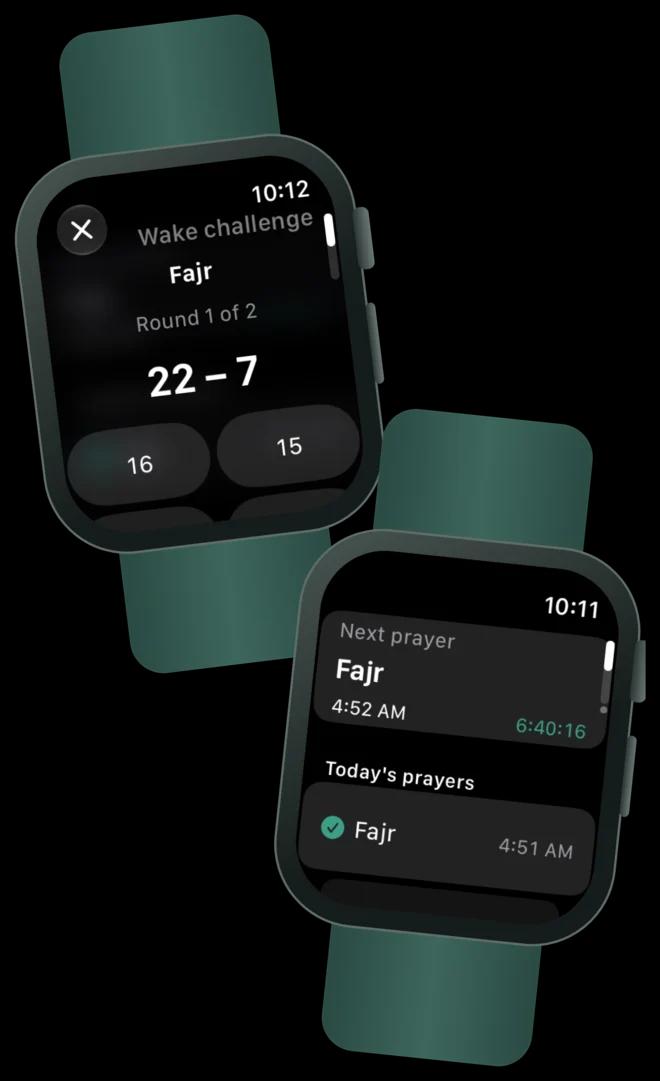
New · Apple Watch
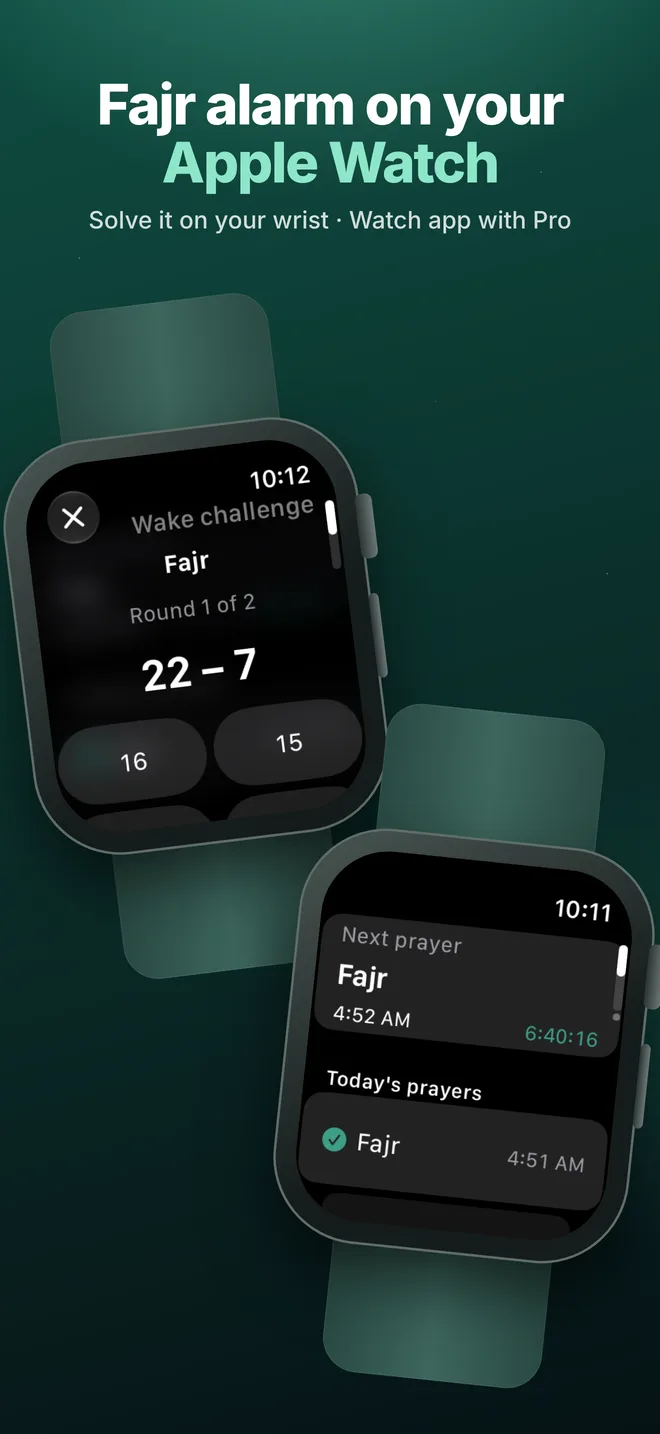
Fajr on your wrist
Prayer alerts and wake alarms reach your Apple Watch while your iPhone is locked. Tap the alarm, solve the challenge on your watch, and the alarm on your iPhone stops too.
- The wake challenge on your wrist: one tap per answer
- Next prayer with a live countdown, and today’s prayers to mark
- A tasbih counter that stays in sync with your iPhone
- Complications for your watch face
The PrayerWake watch app is part of PrayerWake Pro. Prayer alerts reach your watch without Pro.
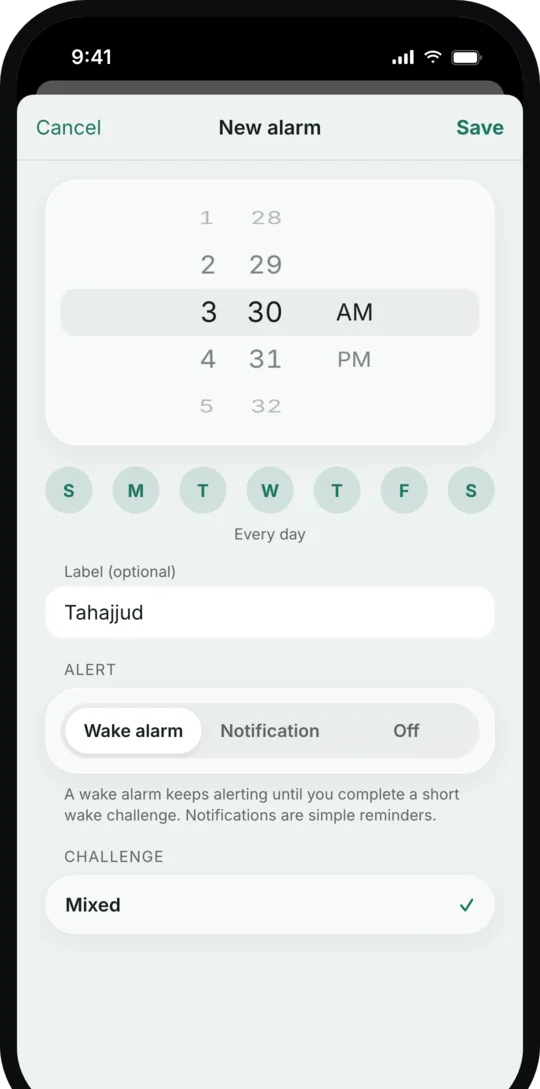
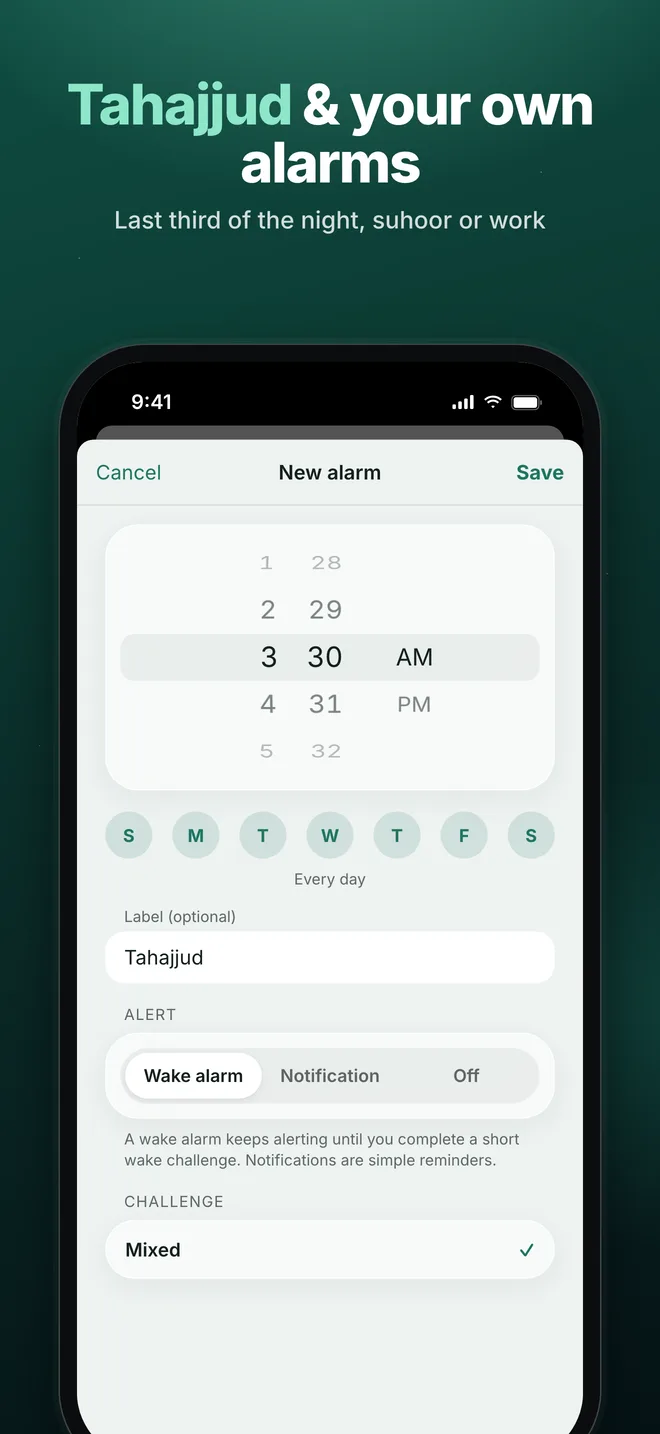
Tahajjud, Jumu’ah and your own alarms
A Tahajjud alarm at the start of the last third of the night. On Fridays, Dhuhr becomes Jumu’ah, with a reminder to get ready for the mosque. And your own alarms for suhoor, work or anything else.
- Wake alarm with challenge, or a simple notification
- Repeat on any days of the week
- Each prayer can ring before or after its time
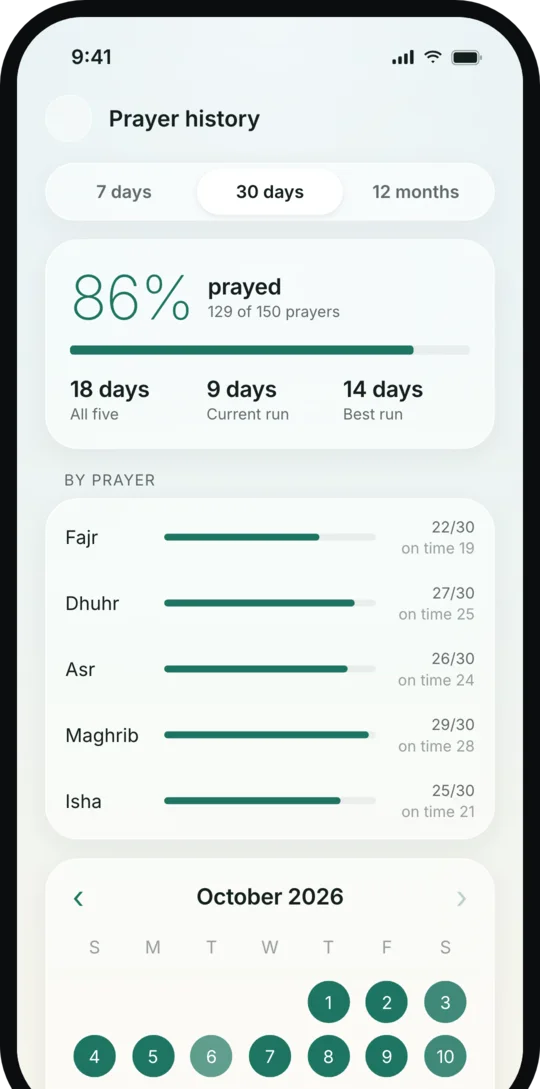
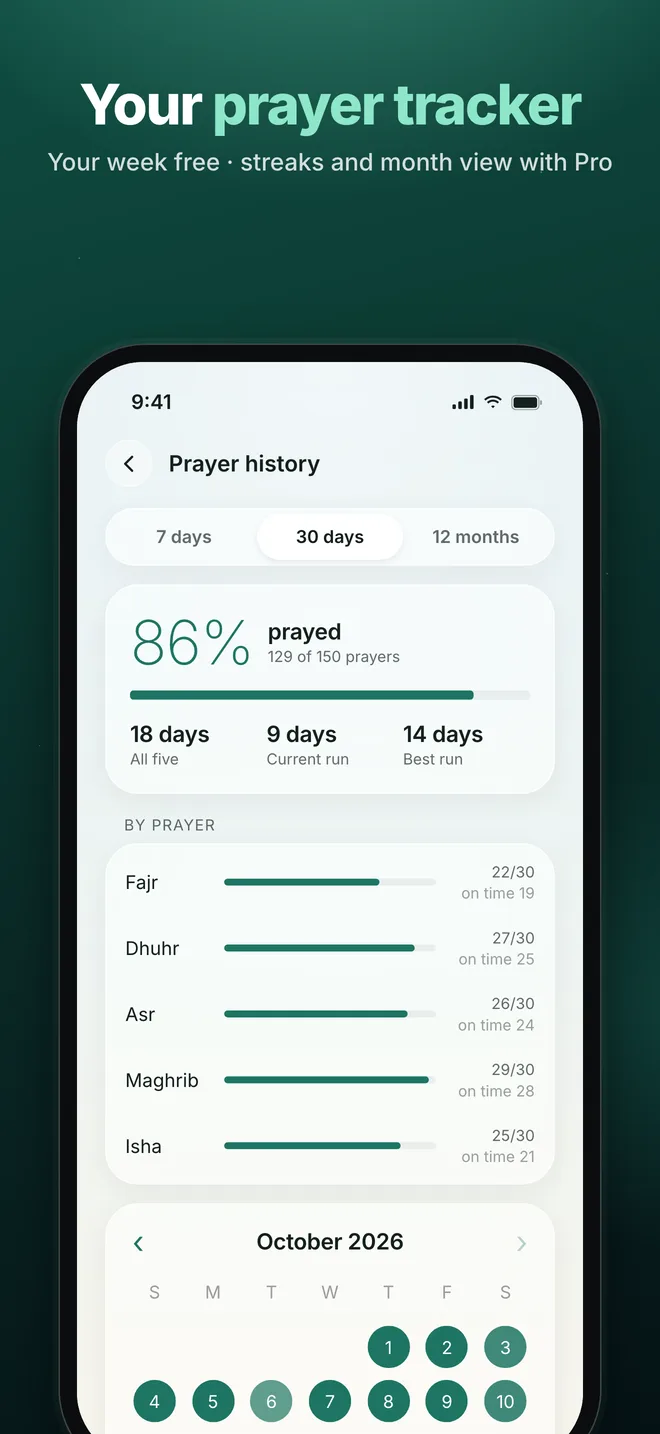
A prayer tracker that never guesses
Mark the prayers you pray, from the app, a widget or your watch. Only what you mark is counted, and the wording stays gentle: there is no guilt, and you can start again any day.
- Your last 7 days, free
- With Pro: your full history, streaks, prayers on time and a month calendar
- Correct any past day
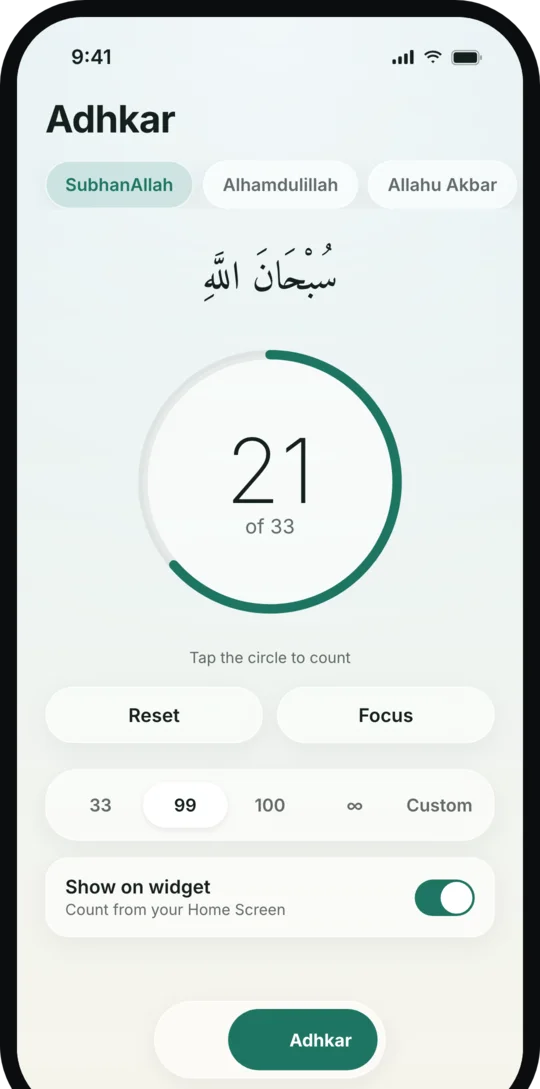
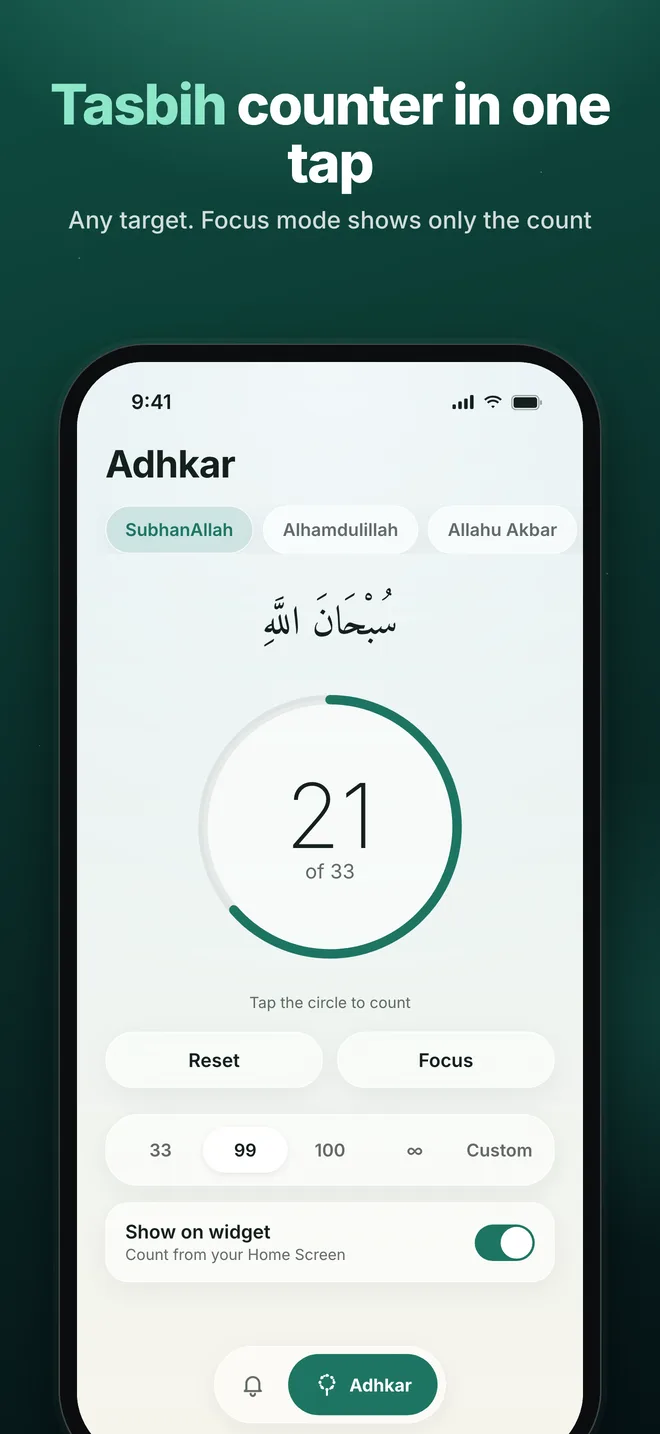
Adhkar and tasbih, one tap at a time
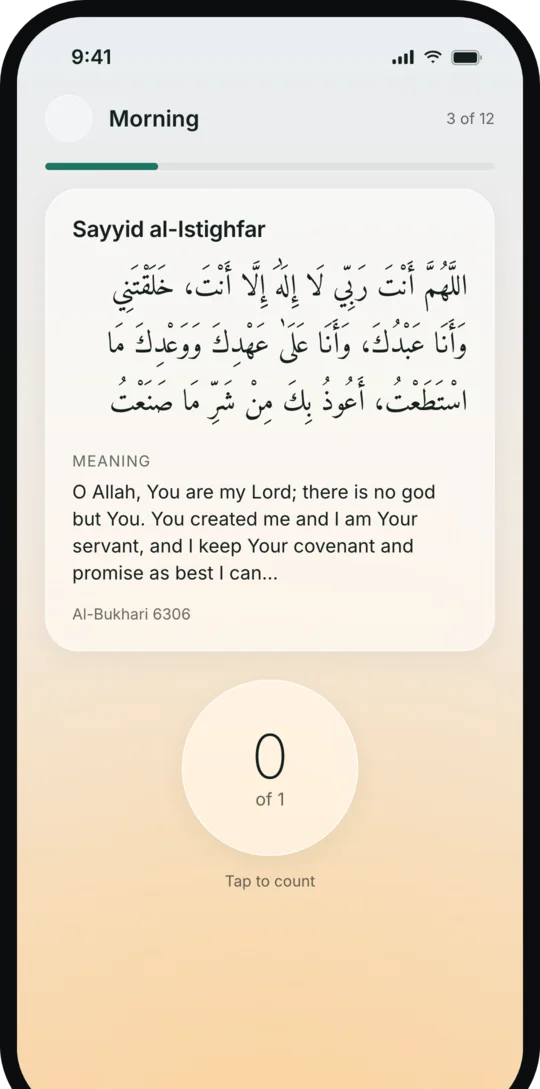
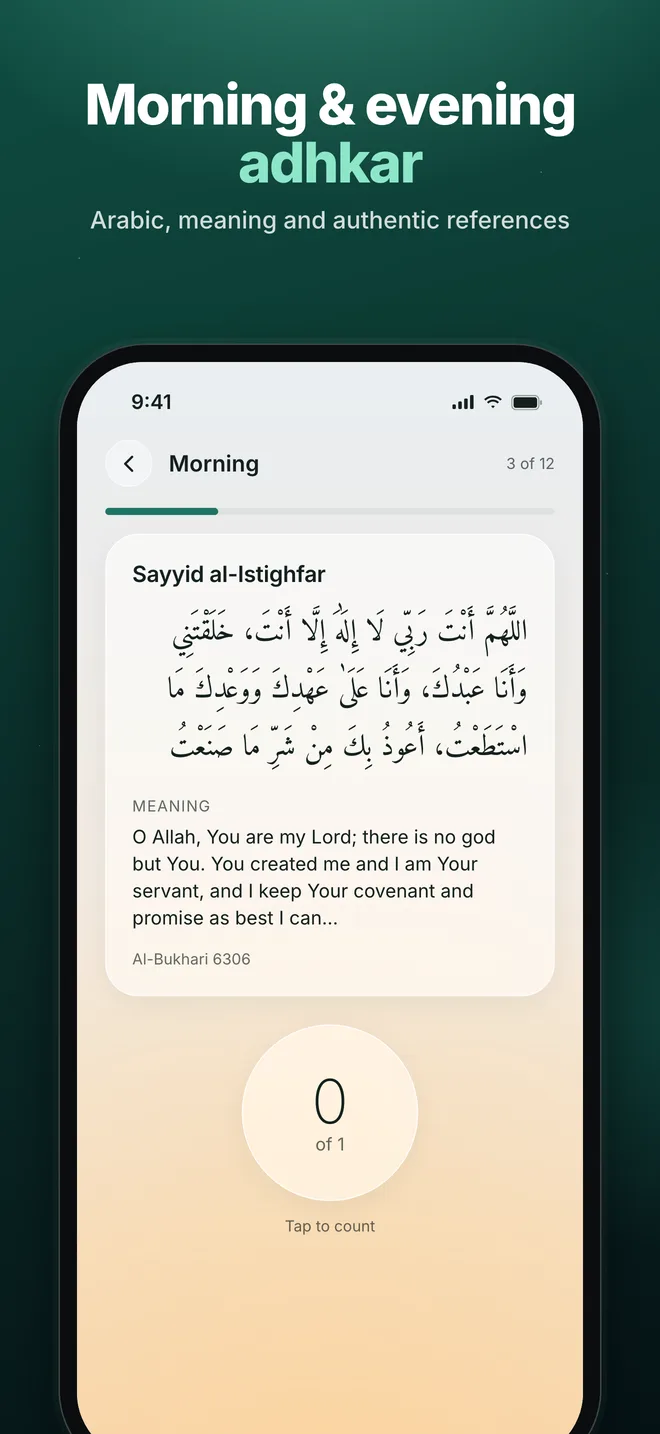
Morning, evening, after-prayer and before-sleep adhkar with Arabic text, meaning and references. And a tasbih counter that is ready the moment you open the tab.
- Any target, or just count
- Focus mode hides everything but the counter
- Add your own dhikr with your own target
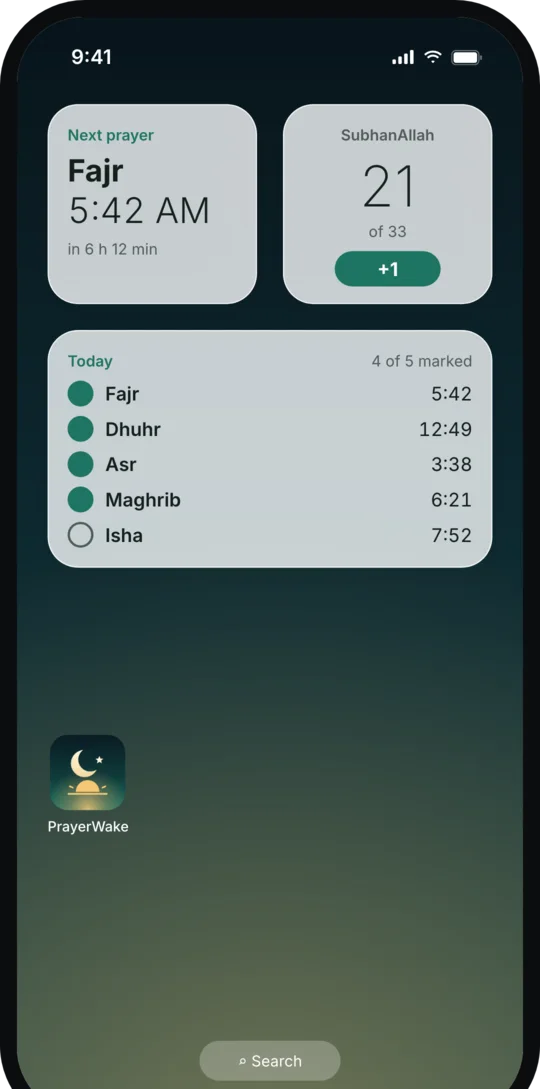
On your Home Screen and Lock Screen
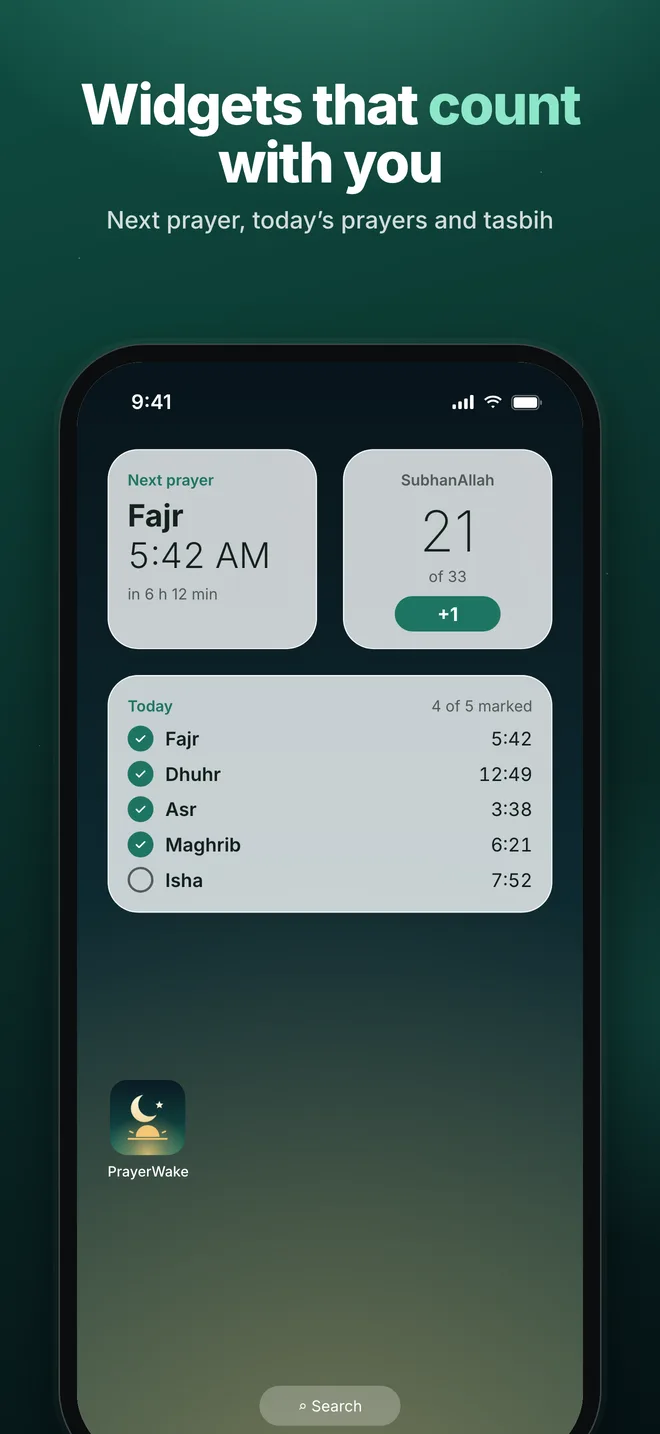
See the next prayer and its countdown at a glance, see which of today’s prayers you have marked, and count dhikr right from the widget.
- Next prayer with countdown
- Today’s five prayers
- An interactive tasbih counter
Everything else you need, nothing you don’t
Offline prayer times
12 calculation methods including ISNA, Moonsighting Committee, Muslim World League, Umm al-Qura, Egyptian, Karachi, Diyanet and Singapore.
Your madhab, your mosque
Standard or Hanafi Asr, high-latitude rules for the UK and northern Europe, and minute adjustments to match your local mosque.
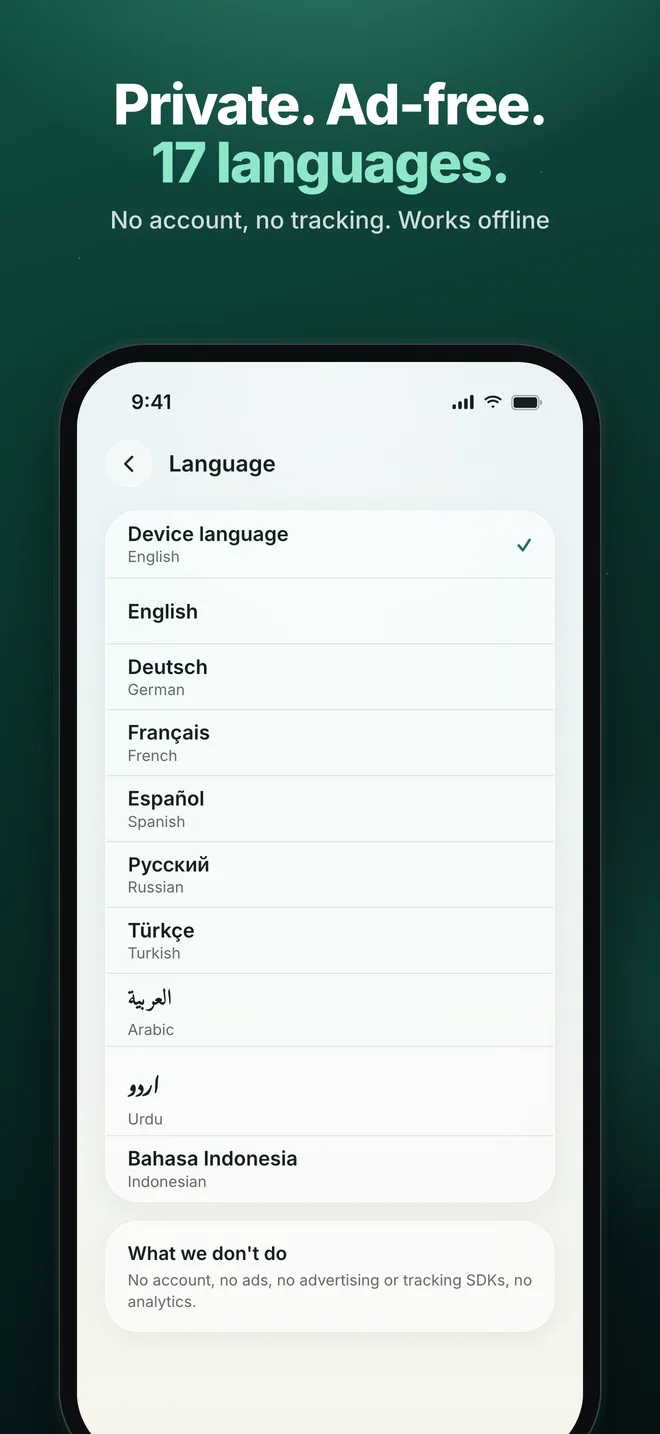
17 languages
English, Deutsch, Français, Español, Русский, Türkçe, العربية, اردو, فارسی, پښتو, বাংলা, हिन्दी, Bahasa Indonesia, Bahasa Melayu, O‘zbek, Azərbaycan and Kiswahili, with right-to-left layouts.
Backup and sync
Save a backup file and restore it on any phone. With Pro, your iPhone and iPad stay in sync through your own iCloud.
Calm by design
Soft skies that follow the prayer times, Liquid Glass on iOS, and nothing competing for your attention.
Ad-free, always
No ads, no account, no tracking. Everything that wakes you for prayer is free, and stays free.
Free, with optional Pro
Free
Everything that wakes you for prayer. No ads, ever.
- Prayer times for anywhere, offline
- Wake alarms and challenges for every prayer
- Tahajjud and Jumu’ah alarms, and your own alarms
- The athan and prayer reminders
- Adhkar, tasbih and your own dhikr
- Widgets for the Home Screen and Lock Screen
- Your last 7 days of prayer history
- Backup to a file
PrayerWake Pro
Monthly, yearly, or a one-time lifetime purchase.
- The Apple Watch app and complications (iPhone)
- iCloud sync between your iPhone and iPad
- Your full prayer history, streaks and month calendar
- Every Pro feature we add later, at no extra cost
Prices are shown in the app in your currency. Subscriptions renew automatically unless cancelled at least 24 hours before the end of the period, in your App Store or Google Play settings. See the Terms of Use.
A closer look
Private by design
Your worship is yours alone.
No account. No ads. No tracking or analytics SDKs. Your prayer marks, adhkar counts and settings stay on your device (and in your own iCloud if you turn on sync), and your location is used only on the device, to calculate prayer times.
Read the privacy policy →- 0 accounts
- 0 ads
- 0 trackers
- 0 prayer data on our servers
Questions
Is PrayerWake free?
Yes. Everything that gets you up for prayer is free and has no ads: prayer times, alarms and wake challenges, the athan, Tahajjud and Jumu’ah, adhkar, tasbih, widgets and your last week of history. PrayerWake Pro is optional and adds the Apple Watch app, iCloud sync and your full prayer history.
Does PrayerWake work with Apple Watch?
Yes. While your iPhone is locked, prayer alerts and wake alarms appear on your Apple Watch, with or without Pro. With Pro, the PrayerWake watch app shows the next prayer and today’s prayers, counts tasbih, adds complications to your watch face, and lets you solve the wake challenge on your wrist, which stops the alarm on your iPhone too. Install it from the Watch app on your iPhone.
Will the alarm ring when my iPhone is on silent?
On iOS 26 and later, wake alarms are real system alarms (AlarmKit) and ring in Silent mode and Focus. On earlier iOS versions, Apple only allows apps to use time-sensitive notifications, which follow your ring/silent switch; PrayerWake repeats them until you complete the challenge.
Does PrayerWake play the athan?
Yes. Alarms can ring with the athan or with “Hayya ‘alal-falah”, and prayer notifications call with “Hayya ‘alal-falah” unless you choose another sound. iPhone plays at most 30 seconds of an alarm sound, so there it is the opening of the athan; Android plays the full call.
Android sometimes stops my alarms. What can I do?
Some manufacturers (for example Xiaomi, Huawei, Oppo, Vivo and Samsung) stop apps in the background. In PrayerWake, open Settings → Reliability & permissions: it shows what is missing and opens the right settings for your phone.
Which calculation method should I choose?
PrayerWake suggests the method used in your region. You can choose from 12 methods, switch to Hanafi Asr, and shift any prayer by a few minutes to match your local mosque.
Does it need the internet?
No. Prayer times are calculated on your device, and alarms, adhkar and the tasbih work offline. The internet is only used for purchases and, with Pro, iCloud sync.
How do I cancel or restore PrayerWake Pro?
Subscriptions are managed by Apple or Google: on iPhone, Settings → your name → Subscriptions (or “Manage subscription” in PrayerWake Pro); on Android, Google Play → Payments & subscriptions. On a new device, open PrayerWake Pro in Settings and tap “Restore purchases”.
What happens to my data?
Your prayer marks, adhkar counts and settings stay on your device, and in your own iCloud if you turn on sync. There is no account and we have no server that receives them. Purchases are processed by Apple or Google and verified through our payments provider. See the privacy policy for details.
How can I contact you?
Email mirzaabuzarmunir@gmail.com or message us on WhatsApp at +92 349 6772797. We read every message.

Start with tomorrow’s Fajr.
Free, ad-free and private. For iPhone, iPad, Apple Watch and Android.